Bob Player Installation & Setup on Every Device
A high-speed, user-friendly IPTV player for Firestick, Android, iOS, Roku & Smart TVs. Complete setup guide with Downloader code, APK link & Device ID activation.
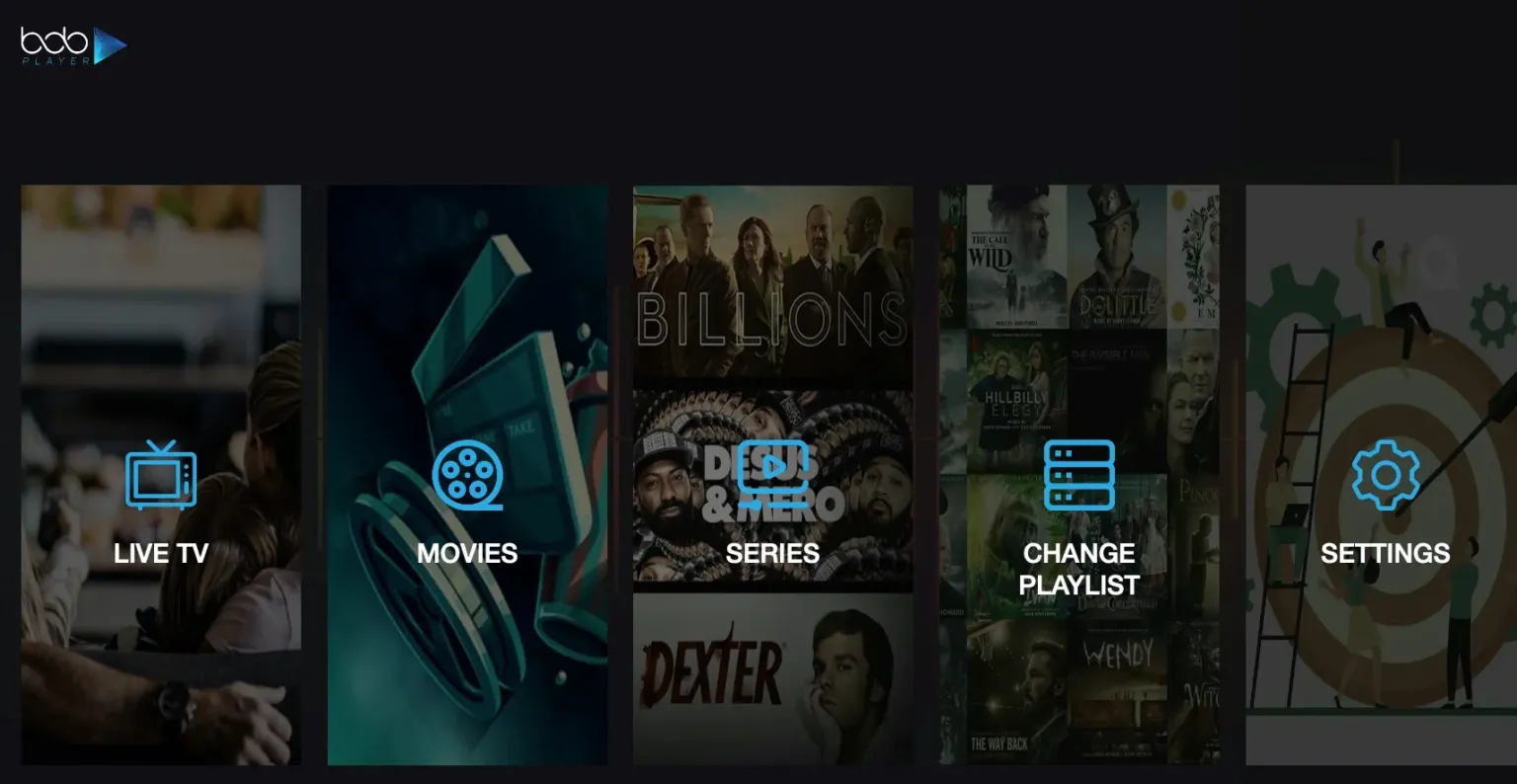
Bob Playeris a high-speed, user-friendly IPTV media player known for its clean interface and broad device compatibility. Developed by the same team behind IBO Player, Bob Player delivers a polished streaming experience across Firestick, Android TV, Apple devices, Roku, and Samsung & LG Smart TVs — making it one of the most versatile players in the IPTV ecosystem.
Paired with an Apollo Group Tv subscription, Bob Player gives you access to 40,000+ live channels and 100,000+ movies in 4K quality. This guide covers every installation method by device, the Firestick Downloader code 624821, and the Device ID & Key activation process.
💡 Important: Bob Player is a media player only — it does not include any channels, live TV, or movies. You must provide M3U playlist or Xtream Codes credentials from a service provider like Apollo Group Tv for it to function.
“Bob Player combines the reliability of the IBO player family with a sleek, approachable interface — making it one of the best choices for Smart TV and Apple users who want premium IPTV without complexity.”
- Downloader Code: 624821 — instant Firestick & Android TV install via the Downloader app.
- Direct APK:
https://ibodesk.com/bob.apk— for manual sideloading on Android devices. - Trial Included: Bob Player comes with a free trial period — after which a one-time activation is required to continue.
Installation Methods by Device
Bob Player supports a wide range of platforms. Find your device below and follow the corresponding installation method:
| Device Type | Installation Method |
|---|---|
| Firestick / Fire TV | Downloader app — Code: 624821 |
| Android TV / Google TV | Downloader app or direct APK from ibodesk.com/bob.apk |
| Apple iPhone / iPad (iOS) | App Store — search "Bob Player" |
| Apple TV (tvOS) | App Store — search "Bob Player" |
| Roku | Roku Channel Store — search "Bob Player" |
| Samsung Smart TV | Samsung App Store — search "Bob Player" |
| LG Smart TV | LG Content Store — search "Bob Player" |
The Entertainment Arsenal
Apollo Group Tv + Bob Player: a clean, fast, and reliable IPTV experience across every major device.
How to Install Bob Player on Firestick (Code: 624821)
The quickest way to install Bob Player on Amazon Firestick or Android TV is via the Downloader app using code 624821:
Enable Unknown Sources on Firestick
Go to Settings → My Fire TV → Developer Options → turn on "Apps from Unknown Sources". Also grant Downloader permission to install apps when prompted.
Install the Downloader App
Search "Downloader" in the Amazon App Store and install it for free. On Android TV, find it on the Google Play Store.
Enter Code 624821
Open Downloader and tap the URL/code input field. Type 624821. Downloader will navigate to https://ibodesk.com/bob.apk and begin downloading Bob Player automatically.
Install the APK
When the download completes, tap "Install". After installation, tap "Done" — you can delete the APK file to free up storage space on your device.
Enter Your Apollo Group Tv Credentials
Open Bob Player, complete the activation process (see below), then add your M3U URL or Xtream Codes credentials from Apollo Group Tv. Your 40,000+ channels will load within seconds.
Bob Player Activation Tutorial (Device ID & Key)
Bob Player includes a free trial period. After the trial, a one-time activation is required using your device's unique Device ID and Key:
Launch Bob Player & Note Your Device ID
Open Bob Player on your device. On the welcome or activation screen, you will see a unique Device ID and Key code specific to your device. Note these down carefully.
Contact Apollo Group Tv Support
Share your Device ID and Key with our 24/7 support team via WhatsApp or email. Our team will process your activation request and provide the required code promptly.
Enter the Activation Code
Once you receive your activation code from our support team, enter it in the Bob Player activation screen. Your player will be permanently unlocked and ready for your subscription credentials.
Add Your Apollo Group Tv Playlist
After activation, tap "Add Playlist" and enter your Apollo Group Tv M3U URL or Xtream Codes credentials. All 40,000+ live channels and 100,000+ VODs will load automatically.
📖 Looking for other players? See our TiviMate guide, IBO Player Pro guide, or HotPlayer guide.
Frequently Asked Questions
What is the Bob Player Downloader code for Firestick?
The official Bob Player Downloader code is 624821. Enter this in the Downloader app on your Firestick or Android TV to automatically download the APK from https://ibodesk.com/bob.apk.
Does Bob Player include channels or content?
No. Bob Player is a media player only — it does not include any channels, live TV, or movies. You must provide your own M3U URL or Xtream Codes credentials from a service provider like Apollo Group Tv for it to work.
How do I activate Bob Player after the free trial?
Open Bob Player and find your Device ID and Key on the activation screen. Contact Apollo Group Tv support with these details and our team will provide your activation code. Enter it in the app to unlock permanently.
Is Bob Player available on iOS and Roku?
Yes. Bob Player is available on Apple devices (search "Bob Player" in the App Store), Roku (Roku Channel Store), Samsung Smart TV, LG Smart TV, and via Downloader for Firestick and Android TV.
Does Bob Player work with Apollo Group Tv?
Yes, fully. Apollo Group Tv is compatible with Bob Player on all supported platforms. After activation, simply enter your M3U URL or Xtream Codes credentials to start streaming 40,000+ channels in 4K.
Start Streaming with Bob Player
Have your subscription credentials ready and our support team will help you activate Bob Player on any device. Pure 4K, zero buffering.