
Ibo Player Installation & Setup on Every Device
A reliable, high-performance IPTV player for Firestick, Android, Roku, Smart TVs & Windows PC. Complete guide with Downloader code 511693, APK link & activation tutorial.
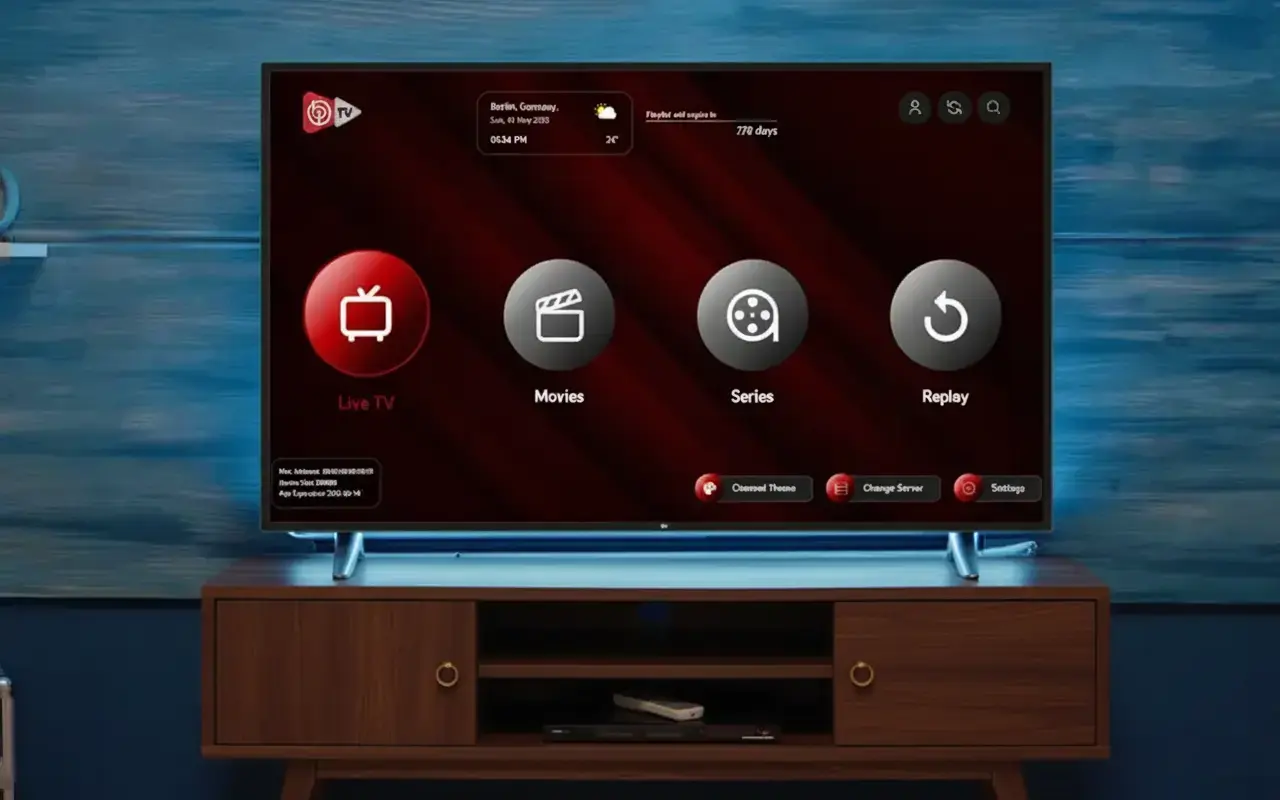
Ibo Player is one of the most widely trusted IPTV media players available — known for its reliability, fast channel loading, and straightforward setup across a broad range of devices. As the lighter sibling of Ibo Player Pro, it delivers a clean and intuitive streaming experience on Firestick, Android, Roku, Samsung & LG Smart TVs, and Windows PC.
Paired with an Apollo Group Tv subscription, Ibo Player gives you instant access to 40,000+ live channels and 100,000+ movies in 4K quality. This guide covers every installation method, Firestick Downloader code 511693, the Windows installer, and the Device ID activation workflow.
💡 Important: Ibo Player is a media player only — it does not include any channels, live TV, or on-demand content. You must provide M3U playlist or Xtream Codes credentials from a provider like Apollo Group Tv for it to function. A 7-day free trial is included before a one-time license key is required.
“Ibo Player is the go-to lightweight option for users who want a fast, reliable, and simple IPTV experience — with just enough features to get the job done perfectly.”
- Downloader Code: 511693 — instant Firestick & Android TV install via the Downloader app.
- Direct APK:
https://iboplayer.com/app_downloads/ibop.apk - Windows Installer:
https://iboplayer.com/app_downloads/ibo_installer.exe - Free Trial: 7-day trial included — after which a one-time license key is required to continue.
Installation Methods by Device
Ibo Player supports all major streaming platforms. Find your device below:
| Device Type | Installation Method |
|---|---|
| Firestick / Fire TV | Downloader app — Code: 511693 |
| Android TV / Google TV | Downloader or APK: iboplayer.com/app_downloads/ibop.apk |
| Roku | Roku Channel Store — search "Ibo Player" |
| Samsung Smart TV | Samsung App Store — search "Ibo Player" |
| LG Smart TV | LG Content Store — search "Ibo Player" |
| Windows PC | Official .EXE installer — iboplayer.com/app_downloads/ibo_installer.exe |
The Entertainment Arsenal
Apollo Group Tv + Ibo Player: fast, reliable, and simple — the perfect everyday IPTV combination.
How to Install Ibo Player on Firestick (Code: 511693)
The fastest way to install Ibo Player on Amazon Firestick or Android TV is using the Downloader app with code 511693:
Enable Unknown Sources
Go to Settings → My Fire TV → Developer Options → turn on "Apps from Unknown Sources". Grant Downloader permission when prompted.
Install the Downloader App
Search "Downloader" in the Amazon App Store and install it for free. It is also available on the Google Play Store for Android TV devices.
Enter Code 511693
Open Downloader and enter 511693 in the URL/code field. Downloader will navigate to https://iboplayer.com/app_downloads/ibop.apk and begin the download automatically.
Install the APK
When the download completes, tap "Install". After installation is complete, tap "Done". You can then delete the APK file to free up storage.
Activate & Add Your Subscription
Open Ibo Player, complete the activation using your Device ID and Key (see activation section below), then enter your Apollo Group Tv credentials to start streaming.
How to Install Ibo Player on Windows PC
Installing Ibo Player on a Windows PC is straightforward using the official installer:
Download the Windows Installer
Visit https://iboplayer.com/app_downloads/ibo_installer.exe on your Windows PC and download the official installer file.
Run the Installer
Double-click the downloaded .exe file and follow the on-screen installation steps. Windows may show a security prompt — click "Run Anyway" or "More Info → Run Anyway" to proceed.
Launch & Activate
Open Ibo Player from your desktop or Start menu. Note the Device ID and Key shown on the activation screen and contact Apollo Group Tv support to complete activation.
Add Your Subscription
After activation, add your Apollo Group Tv M3U URL or Xtream Codes credentials. All 40,000+ channels and VODs will be ready to stream immediately.
Ibo Player Activation Tutorial (Device ID & Key)
Ibo Player includes a 7-day free trial. After the trial, a one-time license key is required to keep the app fully activated. Here is how to complete the process:
Find Your Device ID & Key
Launch Ibo Player. On the activation or home screen, you will see a unique Device ID and Key specific to your device. Note these down carefully — they are required for activation.
Contact Apollo Group Tv Support
Share your Device ID and Key with our 24/7 support team via WhatsApp or email. Our team will handle your activation request and provide the license key promptly.
Enter the License Key
Enter the license key provided by our support team in the Ibo Player activation screen. Your player will be permanently unlocked with no further fees.
📖 Want the premium version? See our Ibo Player Pro guide. Or explore TiviMate and HotPlayer for more options.
Frequently Asked Questions
What is the Ibo Player Downloader code for Firestick?
The official Ibo Player Downloader code is 511693. Enter this in the Downloader app on your Firestick or Android TV to automatically download the APK from https://iboplayer.com/app_downloads/ibop.apk.
Does Ibo Player include channels or live TV?
No. Ibo Player is a media player only and does not include any channels, live TV, or movies. You must provide your own M3U URL or Xtream Codes credentials from a service provider like Apollo Group Tv for it to work.
How long is the Ibo Player free trial?
Ibo Player includes a 7-day free trial. After the trial expires, you will need to obtain a one-time license key to continue using the app. Contact Apollo Group Tv support with your Device ID and Key to complete activation.
How do I install Ibo Player on Windows?
Download the official Windows installer from https://iboplayer.com/app_downloads/ibo_installer.exe, run the .exe file, and follow the on-screen steps. Then launch the app, note your Device ID and Key, and contact our support team for activation.
What is the difference between Ibo Player and Ibo Player Pro?
Ibo Player Pro offers additional premium features including enhanced VOD artwork presentation, better UI polish, and wider platform support (including iOS). The standard Ibo Player is a reliable, lightweight option for Firestick, Android, Roku, Samsung, LG, and Windows.
Start Streaming with Ibo Player
Have your Apollo Group Tv credentials ready. Our 24/7 support team will help you activate Ibo Player on any device in minutes.