
IPTV Smarters Pro Installation & Setup on Every Device
One of the most versatile free IPTV players available — works on Firestick, Android, iOS, Roku, Smart TVs & Windows. Complete guide with Downloader code 6468112 & Xtream Codes setup.
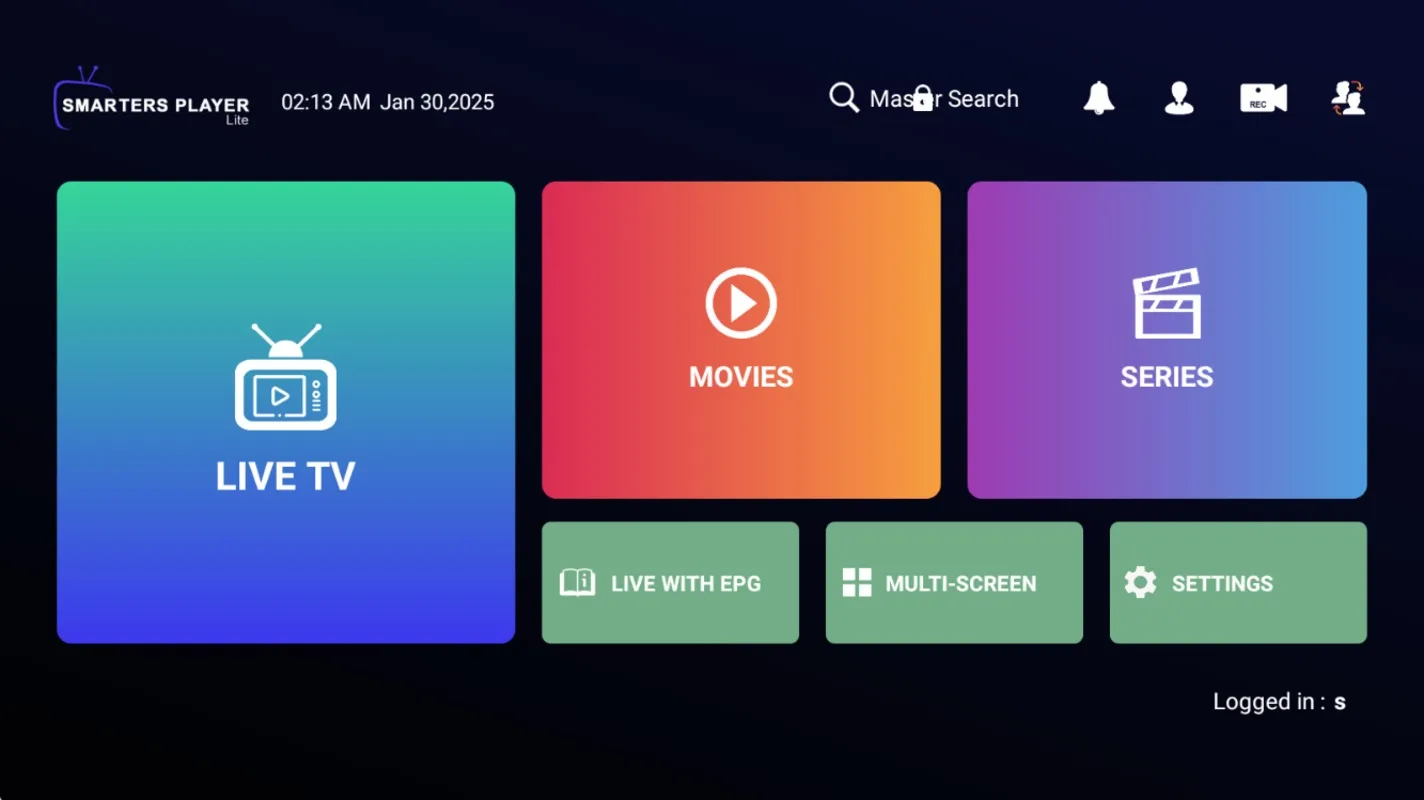
IPTV Smarters Pro is one of the most popular and widely used IPTV player apps in the world — and for good reason. It offers a sleek, intuitive interface, robust multi-platform support, and works with both M3U playlists and Xtream Codes API. Best of all, the core version is available for free, making it an excellent starting point for new IPTV users.
Paired with an Apollo Group Tv subscription, IPTV Smarters Pro delivers 40,000+ live channels and 100,000+ movies in high-quality streaming across every major platform. This guide covers all installation methods, the Firestick Downloader code 6468112, and the Xtream Codes API setup process.
💡 Important: IPTV Smarters Pro is a media player only — it does not include any channels or content. You must provide credentials (M3U URL or Xtream Codes) from a service provider like Apollo Group Tv. Also note: while the free version is functional, we recommend premium players like TiviMate Premium or HotPlayer for the best experience.
“IPTV Smarters Pro is the most versatile free IPTV player available — working on every major platform from Firestick to iPhone. The perfect starting point before upgrading to a premium player.”
- Downloader Code: 6468112 — instant Firestick & Android TV install via Downloader.
- Direct APK:
https://www.iptvsmarters.com/iptv-smarters-5.0.apk - iOS Version: Available as “Smarters Player Lite” on the Apple App Store.
- Auth Method: Supports both M3U URL and Xtream Codes API (Username + Password + Server URL).
Installation Methods by Device
IPTV Smarters Pro has one of the widest device compatibility ranges of any IPTV player. Find your platform below:
| Device Type | Installation Method |
|---|---|
| Firestick / Fire TV | Downloader app — Code: 6468112 |
| Android TV / Google TV | Downloader or APK: iptvsmarters.com/iptv-smarters-5.0.apk |
| Apple iPhone / iPad (iOS) | App Store — search "Smarters Player Lite" |
| Apple TV (tvOS) | App Store — search "Smarters Player Lite" |
| Roku | Roku Channel Store — search "IPTV Smarters Pro" |
| Samsung Smart TV | Samsung App Store — search "IPTV Smarters Pro" |
| LG Smart TV | LG Content Store — search "IPTV Smarters Pro" |
| Windows PC | Official .EXE installer from iptvsmarters.com |
The Entertainment Arsenal
Apollo Group Tv + IPTV Smarters Pro: the most versatile cross-platform IPTV setup available.
How to Install IPTV Smarters Pro on Firestick (Code: 6468112)
Use the Downloader app with code 6468112 for the fastest Firestick installation:
Enable Unknown Sources
Go to Settings → My Fire TV → Developer Options → turn on "Apps from Unknown Sources". Grant Downloader permission when prompted.
Install the Downloader App
Search "Downloader" in the Amazon App Store and install it for free. Available on the Google Play Store for Android TV devices.
Enter Code 6468112
Open Downloader and type 6468112 in the URL/code field. Downloader will navigate to the official IPTV Smarters Pro APK at https://www.iptvsmarters.com/iptv-smarters-5.0.apk and begin downloading.
Install the APK
When the download completes, tap "Install". After installation, you can delete the APK to free up storage space.
Add Your Apollo Group Tv Credentials
Open IPTV Smarters Pro. Choose "Login with Xtream Codes API" or "Load your playlist / M3U URL" and enter your Apollo Group Tv credentials. Your channels will load within seconds.
How to Set Up IPTV Smarters Pro with Xtream Codes API
The Xtream Codes API method is the most reliable way to connect Apollo Group Tv to IPTV Smarters Pro. Here is how to do it:
Open IPTV Smarters Pro
Launch the app on your device. On the login screen, select "Login with Xtream Codes API".
Enter Your Apollo Group Tv Credentials
Fill in the three fields: Your Name (any label you choose), Server URL (provided in your welcome email), Username, and Password. All four values are included in your Apollo Group Tv subscription confirmation email.
Load Channels & Start Streaming
Tap "Add User". IPTV Smarters Pro will connect to the Apollo Group Tv servers and load all 40,000+ live channels, VOD library, and series automatically.
Alternatively: Use M3U URL
If you prefer, tap "Load your playlist / M3U URL" on the login screen and paste your Apollo Group Tv M3U URL directly. This is an equally valid connection method.
📖 Want a more feature-rich experience? Try TiviMate Premium for Android TV, HotPlayer for Firestick, or IBO Player Profor Apple & Smart TVs.
Frequently Asked Questions
What is the IPTV Smarters Pro Downloader code for Firestick?
The official IPTV Smarters Pro Downloader code is 6468112. Enter this in the Downloader app on your Firestick or Android TV to automatically download the APK from https://www.iptvsmarters.com/iptv-smarters-5.0.apk.
What is the difference between IPTV Smarters Pro and Smarters Player Lite?
They are effectively the same app — Smarters Player Lite is the iOS/Apple App Store version of IPTV Smarters Pro, named differently to comply with App Store policies. Both support M3U playlists and Xtream Codes API.
Does IPTV Smarters Pro include channels?
No. IPTV Smarters Pro is a media player only and does not include any channels, live TV, or movies. You need a separate IPTV subscription from a provider like Apollo Group Tv to provide the content.
What is Xtream Codes API and how do I use it with Apollo Group Tv?
Xtream Codes is an authentication method that uses a Server URL, Username, and Password to connect to an IPTV provider. Your Apollo Group Tv subscription includes all three values in your welcome email. In IPTV Smarters Pro, tap "Login with Xtream Codes API" and enter those details.
Should I use IPTV Smarters Pro or a premium player?
IPTV Smarters Pro is excellent as a free, versatile starting point — especially for beginners and multi-device users. However, for the best daily streaming experience, we recommend upgrading to TiviMate Premium (Android TV), HotPlayer (Firestick), or IBO Player Pro (Apple/Smart TVs) for advanced features, EPG, and multi-screen support.
Start Streaming with Smarters Pro
Get your Apollo Group Tv credentials and be streaming in under 5 minutes. No contracts. No hardware. Pure 4K.